ArrayLists
An example of a normal JDK class
Most of your Java programming will have to do with using classes, the ones provided by Java as well as the ones you write.
For the most part there’s nothing special about the ones that come with Java except that you don’t have to write them.
(The JDK is the “Java Development Kit”, basically everything that comes with Java, the language.)
Classes we’ve officially learned so far
String |
Immutable and also treated specially by the language |
Math |
Holder for a bunch of static methods |
Turtle |
Not part of the JDK. |
ArrayList |
Just a normal JDK class |
What we can do with classes
-
Construct instances of them
-
Access their public variables (instance and static)
-
Call their public methods (instance and static)
-
Compare references with
==and!= -
Pass them to methods and constructors
-
Return them from methods
Therefore …
To know how to use a class you just need to know what constructors, variables, and methods it has.
And most classes don’t have public variables except for static constants like Math.PI and Color.RED.
Don’t reinvent the wheel
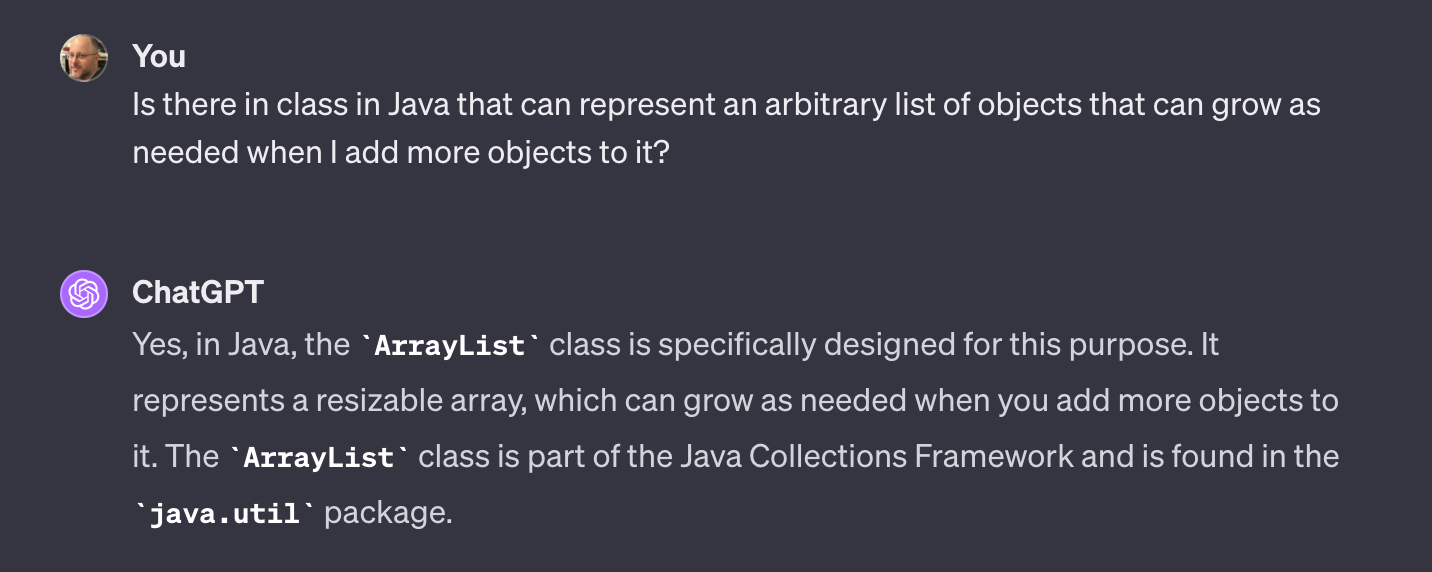
If you are about to write a class that seems generally useful, you should check the JDK documentation, Google, or ask ChatGPT to see if there is a class already built into Java that does what you need.
ChatGPT knows what’s up
Javadocs
The complete documentation of any class in the JDK can be found in the official Javadocs.
Javadocs document exactly the publicly accessible parts of a class—variables, constructors, and methods—that you need to know about to use it.
Here are the ArrayList Javadocs
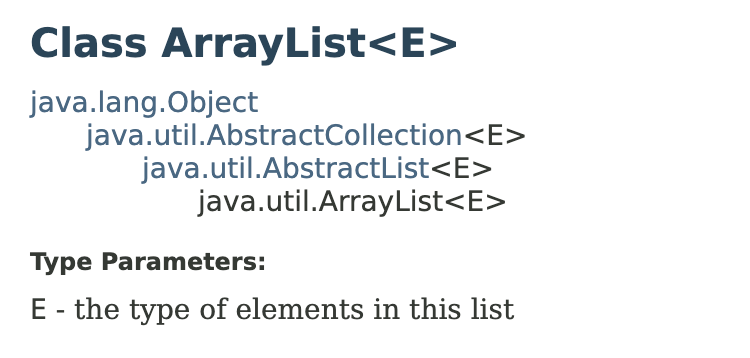
What’s this ArrayList<E>?
ArrayList is a generic class meaning we can describe the behavior of an ArrayList without regard to what particular type of object it might hold.
E is called the type parameter and is a stand-in for the type of element that we will specify and is used in the signature’s of the ArrayList methods like this:
boolean add(E e) // add an element of type E to the list

E get(int index) // get an element of type E from the list
Specific ArrayList types
-
ArrayList<String>- containsStrings. -
ArrayList<Point>- containsPoints.
You can read ArrayList<String> as “an ArrayList of Strings” just like String[] is “an array of Strings.”
Why?
For the same reason we declare variables to be the specific type of the values we are going to store in them, it’s useful to declare the type of object we intend to put in a given array list. Consider:
ArrayList<String> strings = ...;

String upper = strings.get(0);
Because strings is declared to be an ArrayList<String> we know the element returned by get will in fact be a String.
The public interface of ArrayList
-
Variables
-
Constructors
-
Methods
No public variables
Like most well-designed classes, ArrayList has no public instance variables. It also has no static variables.
If you look closely at the Javadocs you’ll see it does have a single protected variable named modCount. You can ignore that.
Constructing an ArrayList
We only have to specify the type of element when declaring the variable. We don’t have to specify it again in the call to the constructor but we do need a pair of <>:
ArrayList<String> strings = new ArrayList<>(); // ✅You can redundantly specify it:
ArrayList<String> strings = new ArrayList<String>(); // 🆗Don’t do this as it makes something called a raw type:
ArrayList<String> strings = new ArrayList(); // ☠️☠️☠️:No-args constructor
You will almost always use the no-argument constructor which constructs an empty array list.
ArrayList<String> strings = new ArrayList<>();
ArrayList<Integer> numbers = new ArrayList<>();
Copy constructor
There’s another constructor that takes a collection as its argument which can be used to make a new ArrayList that contains the same elements as another:
// Make an ArrayList and add some elements
ArrayList<String> strings = new ArrayList<>();
strings.add("a");
strings.add("b");
strings.add("c");

// Make a new ArrayList containing the same elements
ArrayList<String> copy = new ArrayList<>(strings);
Copy constructor, part 2
Another handy way to use the copy constructor takes us just a bit outside the AP curriculum: use the static method List.of which makes a list of its arguments (though not necessarily an ArrayList) and pass that list to the ArrayList copy constructor:
strings = new ArrayList<>(List.of("a", "b", "c"));Makes a new ArrayList containing the strings "a", "b", and "c".
Capacity constructor
If you look at the Javadocs you will see there’s a third constructor that takes an int argument.
ArrayList<String> lots = new ArrayList<>(1_000_000);That constructor makes an ArrayList with an initial underlying array of the given size. But the size() of the ArrayList is still 0.
It’s purely an optimization for when you know you are going to put a lot of elements into an ArrayList as it avoids repeatedly increasing the capacity of the list as you add more items to it.
ArrayList methods
Methods you need to know for the AP exam.
int size() |
Number of elements in list. |
add(E obj) |
Adds obj to list. |
add(int i, E obj) |
Adds obj at index i. |
E get(int i) |
Returns value at index i |
E set(int i, E obj) |
Sets value at index i to obj. |
E remove(int i) |
Removes element at index i. |
E gets filled in
In, for instance, an ArrayList<String> these become:
int size() |
add(String s) |
add(int i, String s) |
String get(int i) |
String set(int i, String s) |
String remove(int i) |
☠️☠️☠️ Raw types ☠️☠️☠️
You can declare a variable as just ArrayList. This is called the “raw type” and it can hold any kind of reference type. But you shouldn’t ever use raw types.
Wrapper types
For historical reasons, the type parameter in generic type like ArrayList<E> has to be a reference type.
ints, doubles, and booleans are not reference types so we can’t make ArrayLists of them.
Instead, Java includes classes called “wrapper types” or “boxed types” that wrap up primitive values to be used with ArrayLists and other generic classes that deal only with objects.
ArrayList<Integer>
To make a list of integers we must declare its element type to be Integer.
But luckily something called autoboxing will almost always take care of translating between int and Integer for you.
Autoboxing
ArrayList<Integer> nums = new ArrayList<>();
nums.add(42); // boxed into Integer.valueOf(42)
nums.add(100); // boxed into Integer.valueOf(100)

// Boxed values are unboxed so we can use them as
// operands to +. Result is then an int.
int sum = nums.get(0) + nums.get(1);

nums.add(sum); // sum is then boxed.
ArrayList vs arrays
Arrays are the only type we can use [] with.
ArrayList is a class so everything we do with it is done with methods.
ArrayLists are mutable both in the sense that we can change individual elements (which we can also do with arrays) but also we can add and remove elements and change the size of the list.
Array analogs
new String[size] |
new ArrayList<String>() |
arr.length |
list.size() |
arr[i] |
list.get(i) |
arr[i] = x |
list.set(i, x) |
Note there are no array analogs for add and remove since arrays can’t change size.
Other methods
There are quite a few other useful method that you can look up in the Javadocs.
Loops and ArrayLists
For the next few slides assume we’ve declared and initialized this variable:
ArrayList<String> strings
Simple for loop
for (int i = 0; i < strings.size(); i++) {
  doWhatever(strings.get(i));
}
This is just like the canonical for loop over an array except we’ve replaced .length with .size() and [i] with .get(i).
Enhanced for loop
for (String s: strings) {
  doWhatever(s);
}ArrayLists are written so they can be used with the enhanced for loop.
(You can write your own classes that could be used with the enhanced for loop but doing so is outside the AP curriculum.)
Beyond the AP
ArrayList is a very useful class and in real programs you’d likely take advantage of the many methods described in the Javadocs plus its relation to other classes in the java.util package.