Page 2: Making Programs Talk
Unit 1, Lab 2, Page 2
On this page, you will experiment with an existing program as an introduction to the project.
Exploring Custom Blocks
Open the Assignment project.
Perform each of the experiments (A-D) decribed in comments in the starter code several times.

You will record your answers on the checkpoint at the bottom of this page.
What does each reporter block report?



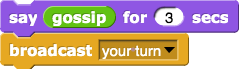
What happens when you click this script (labeled D)?
Would you like to make the blocks bigger?
In the Settings menu (  ), choose “Zoom blocks…”, and adjust the slider.
Abstraction is the most fundamental idea in computer science, but it’s hard to define until you’ve seen some examples. The most basic kind of abstraction is to give a name to something in a program. For example, here the author’s of the starter code gave the name who to the idea “pick an item at random from this list of people (or cats).” This is called procedural abstraction because we use a procedure (a block) to name the idea. This makes your code readable. You’ll see other kinds of abstraction later.
The blocks we are exploring on this page are not part of Snap! but were made by the author’s of the starter code. In a couple pages we’ll learn to make our own blocks which is one of the most powerful moves in Snap! programming because it saves us from having to copy and paste code all over our programs. Instead we can give useful chunks of code a name and reuse them wherever we need them. That also means if we discover later on that we need to fix a bug in that code, we only have to change it once instead of finding every copy throughout our program.
Exploring a Second Sprite
In the sprite corral, click on the green sprite named “Sprite(2)” to control its scripts and costumes.
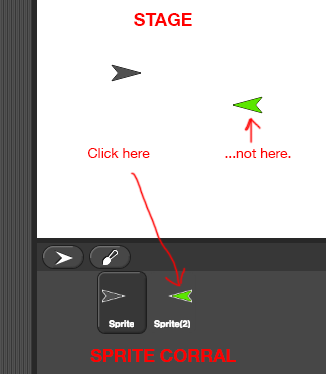
Perform each experiment (A-C) several times.
- What does
broadcastdo? You can record your answer on the checkpoint.
 Discuss how
 who2compares towhoand howgossip2compares togossip. Record your answer on the checkpoint.
The
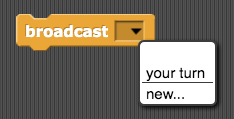
broadcastblock sends a message to all the sprites. To set the message, click the down arrow and select “new…”
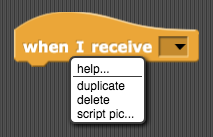
For more information about the
when I receiveblock, right-click (or control-click on a Mac) the block and select “help…”
There is nothing exactly like  or
or  on the AP Exam because they don’t have sprites and speech balloons, but their way of showing this text to the user is
DISPLAY(gossip())
if it’s written as text or .png "a white rounded rectangle containing first the word 'DISPLAY' in all caps and then a smaller white rectangle containing the word 'gossip' in lower case") if it’s shown as blocks.
if it’s shown as blocks.
You won’t have to be able to write code in this notation on the AP exam. You just have to be able to read it so you can answer questions about it.