Page 5: Vary Your Tree
Unit 7, Lab 1, Page 5
On this page, you will experiment freely with the tree procedure to see how you can modify the appearance of the result.
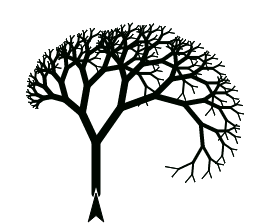
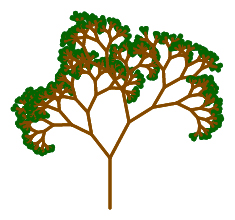
Experiment! Try varying your tree in the following ways:
Change the turn angle.
Change the scale factor.
Change the number of branches at each level.
Change the branching structure. For example, trees can have branches along the trunk
 or even a bent trunk
 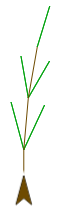 .
.
When you use more complicated structures or bend the trunk, returning the sprite to its original position—maintaining state transparency—becomes more of a nuisance. Instead of undoing each move and turn step by step, you can record the starting position like this
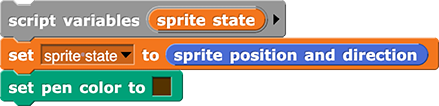
using a block like this

and build areturn sprite to stateblock that returns the sprite to its original position.

Change the pen thickness between levels, so that the trunk is really thick and the leaves are thin.
Make a brown trunk and branches and green leaves.
You do not have to get it exactly like the picture.
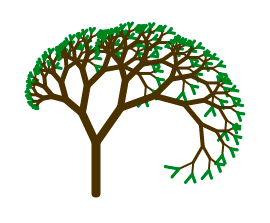
You might have found the green leaves harder to debug than the varying thickness. If so, what went wrong with drawing the leaves green? Why didn’t the same problem come up for the thickness?
If There Is Time…
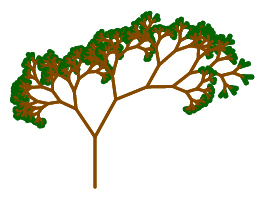
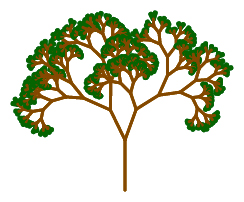
Put some randomness in the choice of angles and/or scaling factors. Here are some examples:
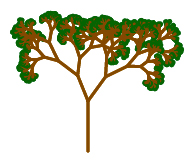
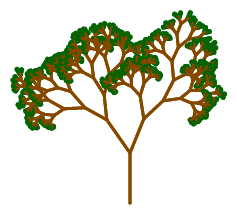
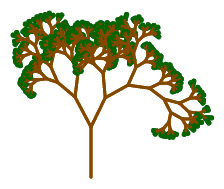
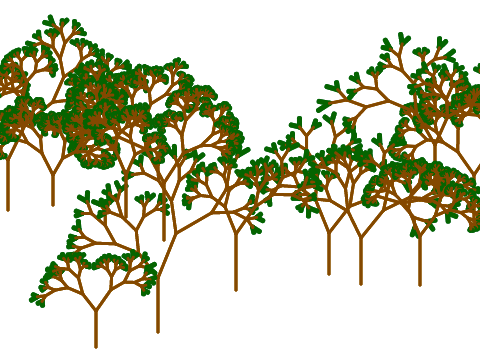
Make a forest by planting varied trees randomly on the stage.
Search for images of fractals in nature.
Take It Further…
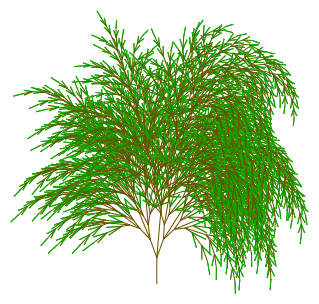
In nature, gravity affects how plants grow. Here is an example of the tree fractal that uses a
gravityblock to weigh down the branches roughly the way gravity would. This tree’s branching structure looks like . The image below shows what happens when we add gravity. Experiment with this idea or work on whatever alternative you find interesting and beautiful.