Page 2: Generalizing the Map Pattern
Unit 8, Lab 4, Page 2
On this page, you will generalize the code pattern you’ve been exploring and get to know some other problems where this code pattern can be used.
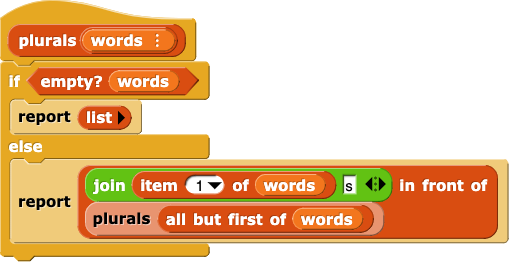
Here’s a version of the code for each block from the previous page.
Your exaggerate word block might look a lot different, but here is one version:
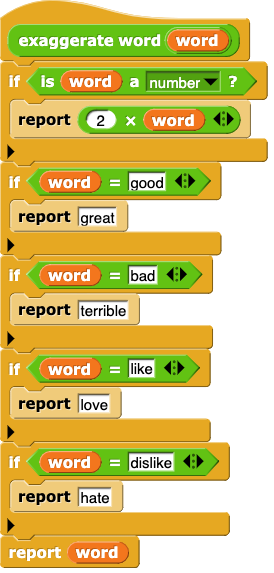
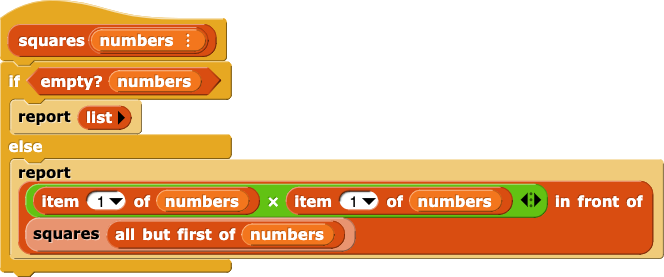
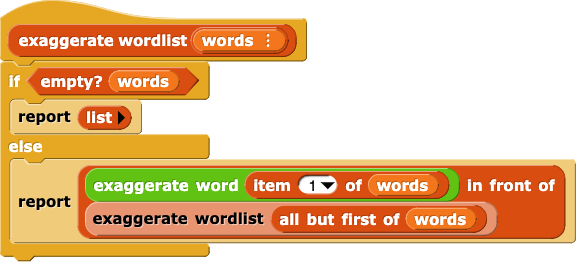
Plurals, squares, and exaggerate wordlist look almost identical. The only difference is the particular function that’s applied to item 1 of the input list. Here’s a generalization of the pattern:
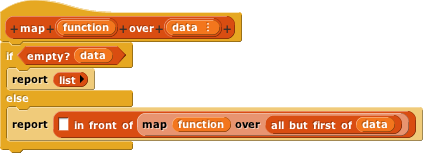
But what do we put in the first input slot of in front of?
There are two little details you have to learn to finish this definition. The first is that the function input has to be a reporter. You already know how to set an input to be of a specific type. Setting this as a reporter is no different:
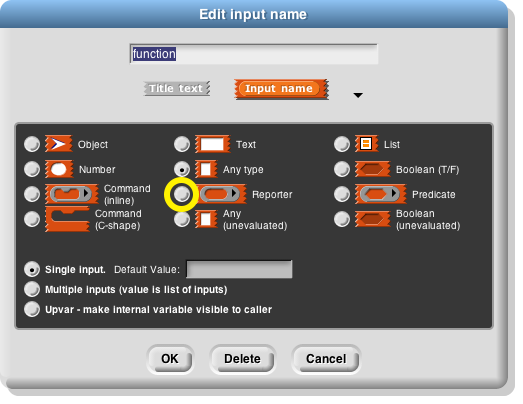
The Greek letter λ that appears in the Block Editor next to the word function in the orange oval is a type reminder, just like the︙for lists.
Now you have to know how to apply the function to item 1 of data. Find the call block in the Control palette and click on its right arrowhead to give it a second input slot. Then fill it in like this:
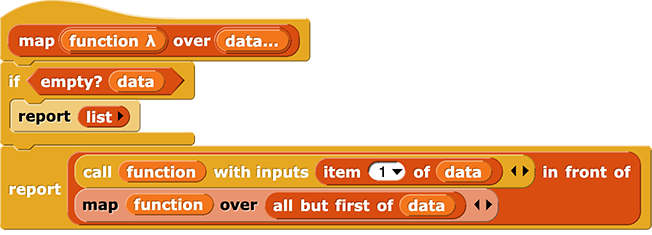
That’s it! You’ve written map, a higher-order function.
The call block finds empty input slots in its function input and fills them in with the given input values.
Higher-order functions aren’t difficult, once you understand recursion and how to generalize a procedure by adding an input. They’re no big deal to write! And they are very powerful to use.
Rebuild the
exaggerateblock using a call tomap. What happens to the helper function?
Occasionally a problem comes up that doesn’t exactlymatch the
mappattern, but comes close. In that case, you can’t usemap, but your understanding of the pattern still helps. Here’s an example:
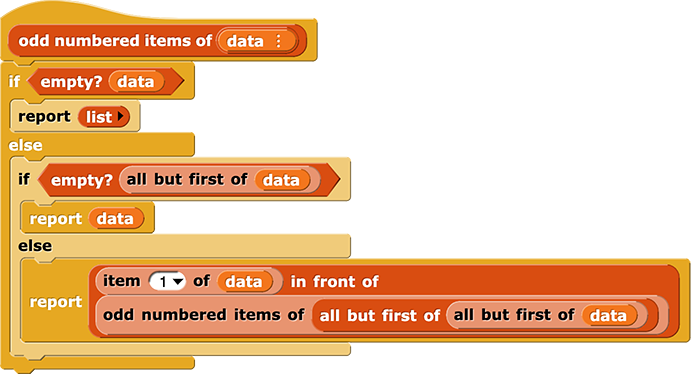
Fill in the blanks: This script is just like the map pattern except for ______ (base case) and _____ (in the recursive case).
Build the
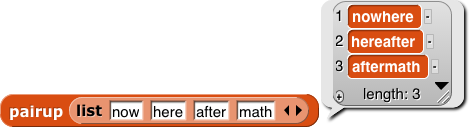
pairupblock: